
Download The Official and Latest Version v6.5.1 of Pokémon Infinite Fusion (For Windows 7,8, and more!)

Pokémon Infinite Fusion
Version:
6.5.1
Size:
1.8 GB
Type:
Fan-made

Pokémon Infinite Fusion free download for PC is now available with Version 6.5.1. Anyone having Windows 7 or later versions can enjoy expanded content, new Pokémon, and thousands of custom fusion options. Play directly on Windows and experience the iconic Fusion System that combines two Pokémon into one. This isn’t your typical RPG, it’s a whole new generation of creativity.
Unlike many Pokémon franchise games that are made for mobile phones like Pokémon Go, Pokémon Infinite Fusion is for PC and Windows! Download Pokémon Infinite Fusion latest version on Windows and get into a whole new way to play. This fan-made Pokémon game takes the classic formula and levels it up, letting you fuse any two Pokémon into one brand-new creation.
With over 251,000 fusion combinations, it offers various possibilities and fresh strategies for every kind of player. The latest Version 6.5.1 brings even more new Pokémon, custom sprites, and updates to explore. If you’ve been waiting for a unique Pokémon experience on PC, this is exactly what you need.
Can You Play Pokémon Infinite Fusion on Windows PC?
Yes, Pokémon Infinite Fusion is a fan-made Pokémon game built for Windows. It’s created by an indie developer known as Schrroms, who developed it using a customized RPG Maker XP engine. And it can be downloaded directly!
The gameplay combines the nostalgic feel of Pokémon titles with a unique fusion element! Players fuse any two Pokémon to form hybrids, and with 501 Pokémons, the possibilities are endless (over 251,001!). The game copies the style of the main series while introducing its own story, sprites, and mechanics.
Thanks to regular Pokémon Infinite Fusion updates, the experience keeps evolving. It’s fully playable on PC, and we update the links with every new version. It can also run on Android, Mac, Linux, and other devices with the right tools.

Pokémon Infinite Fusion Features for PC
Pokémon Infinite Fusion combines old-school nostalgia with brand-new mechanics. Here are the key features of Pokémon Infinite Fusion, built for Windows!
1. Unlimited Pokémon Fusion System
Use DNA Splicers to fuse any two Pokémon into a brand-new hybrid with its type, stats, moveset, and sprite. With over 251,000 fusion possibilities, the system ensures no two teams look or play the same.


2. Cross-Gen Pokémon Collection
Includes the full Gen 1 and Gen 2 Pokédex, plus 100+ selected Pokémon from later generations. This wide roster lets you build wild fusion combinations across eras. Have fun with nostalgic favourites as well as modern battle power in one PC experience.
3. Expanded Regions and 40+ Side Adventures
Explore the full Kanto region, then unlock Johto and the Sevii Islands in the postgame. Branching paths, 40+ side quests, and a Johto prequel arc keep the journey fresh with layered storytelling. The feature of player-driven choices impacts how events unfold for you.
4. Enhanced Graphics And Design
Styled after Gen 4 and 5 games, the graphics blend pixel-art charm with clean animations and modern UI enhancements. Every fusion has a hand-designed sprite, and the game runs smoothly on Windows. Pokémon fans can enjoy a clear experience without sacrificing that classic Pokémon feel.
5. Flexible Game Modes & Difficulty Settings
Customize your journey with challenge modes, randomized teams, and multiple difficulty levels. The game adjusts to every type of player’s style, from a casual fan to a competitive battler.
6. 189,608 Handcrafted Fusion Sprites
Fan artists have created nearly 190,000 unique sprites, each crafted to match the personality and type combo of the fusion. All of them have detailed and expressive designs that bring your custom Pokémon to life on every screen.
7. Updated Battle Mechanics for PC
Fusion-friendly abilities, Mega Evolutions, Fairy typing, and split damage types are all included. Trainers can rematch NPCs who grow stronger over time, and use features like Battle Factory and built-in speed-up to simplify combat without losing depth.
8. Advanced Gym Rematches & New Moves
Challenge all 16 Gym Leaders from Kanto and Johto. Rematch battles introduce scaling difficulty and exclusive abilities for fused Pokémon. This mechanic gives long-term players deeper strategy options and room for growth as their team evolves.
9. Completely Free-to-Play on Windows
There are zero microtransactions. Everything, from Legendary hunts to Wonder Trade, is unlocked through gameplay. It’s a full-length Pokémon experience made by fans, for fans, with all content accessible without spending a penny.
10. Wonder Trade & Randomizer Support
Trade anonymously with other players or activate Randomizer Mode for chaos! These features add variety to each session, and when combined with the huge sprite library, no two encounters ever feel the same.
What’s New in Pokémon Infinite Fusion v6.5.1?
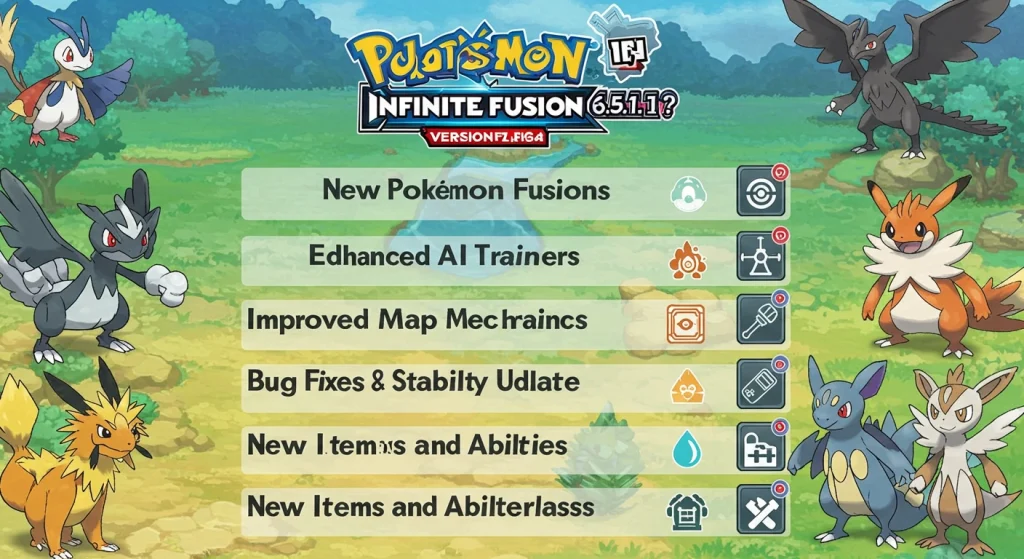
Here’s what players can expect from the latest Pokémon Infinite Fusion v6.5.1 update:
Character Customization
Updated Gameplay Mechanics
System Improvements
How to Download the Latest Pokémon Infinite Fusion on Windows (FREE)
You do not need an emulator. Here’s what you need:
Note! Avoid saving or installing the game in OneDrive folders. For best results, extract the files somewhere like “C:\Games\PokemonInfiniteFusion”.
Step 1: Download Pokemon Infinite Fusion Installer
Download the “Pokémon Infinite Fusion 6.5.1 Installer (Lightweight)”. This will save a .zip file to your Downloads folder.
Step 2: Extract the Game Files
Right-click the downloaded ZIP file and choose “Extract All”. Or use 7-Zip or WinRAR for faster extraction. Once extracted, open the new folder, and it should contain files like INSTALL_OR_UPDATE.bat.
Step 3: Install the Game
Double-click “INSTALL_OR_UPDATE.bat”. If Windows shows a warning:
If it doesn’t install correctly, just run the INSTALL_OR_UPDATE.bat again.
Step 4: Launch the Game
To play the game, open the folder and double-click Game.exe. You can also use PIFLauncher.exe to update or manage settings.
Older Versions of Pokémon Infinite Fusion (ROMs & Sprites Pack Included)
It’s better to use the latest installer (v6.5.1) for the best experience on Windows. But we’ve also given sprite packs along with older versions for low-end devices.
Latest Pokémon Infinite Fusion Full Game (1.8 GB)
This link is the standard full version of the game. It includes everything pre-installed, but may require updates if newer versions are released later. By default, this version does not include sprites. This version is ideal for people who want full control over sprite pack updates and patches. You’ll just need to download the Full Sprite Pack separately and install it manually.
Version | Size | Direct Link |
|---|---|---|
Pokemon Infinite Fusion Full Game 6.6.0 | 3 GB | Download link |
Latest Pokémon Infinite Fusion Revamped Version (1.7 GB)
The revamped version is fully standalone and already comes with all essential sprites preloaded. No extra downloads required. It’s fully independent of old versions; no need to update or patch anything. This version is great if you plan to play offline without updates.
Version | Size | Direct Link |
|---|---|---|
Pokémon Infinite Fusion Revamped Version | 1.7 GB | Download link |
Latest Sprite Pack (2025 Edition)
There is no need to manually install sprite packs as your game will fetch them automatically by following our guide. But if you’re running a manual install of older versions or an offline build of Pokémon Infinite Fusion for Windows, grab the latest sprite files below to get full fusion visuals!
Sprite Pack | Size | Direct Link |
|---|---|---|
Full Sprite Pack (1–112, May 2025) | 744 MB | Download link |
Preloaded Sprites (Old Build) | 416.45 MB | Download link |
Older Versions of Pokémon Infinite Fusion
Looking for previous releases or mobile ports of Pokémon Infinite Fusion? You’ll find legacy versions and preloaded sprite bundles here! These are ideal for emulators or low-spec setups.
Version | Size | Download |
|---|---|---|
Pokémon Infinite Fusion 5.3.1.2 (Mobile) | 555.5 MB | Download link |
Pokémon Infinite Fusion 5.3.1 (Mobile) | 587 MB | Download link |
Pokémon Infinite Fusion 5.1.2.4 | 1.4 GB | Download link |
Pokémon Infinite Fusion 5.3.0.6 (Mobile) | 587.17 MB | Download link |
Preloaded Sprites (Legacy) | 416.45 MB | Download link |
Pokémon Infinite Fusion (Base Build) | 178.70 MB | Download link |
Full Sprite Pack (1–92, July 2023) | 639 MB | Download link |
Troubleshoot Guide For Pokémon Infinite Fusion On Windows
Some antivirus tools can falsely flag the installer. Adding the PIFLauncher folder as an exclusion helps avoid interruptions. Follow this to fix:
- Open Windows Security and go to Virus & Threat Protection.
- Scroll down to Manage Settings and click Add or remove exclusions.
- Choose Add an exclusion and pick “Folder”.
- Select the folder where you extracted the game (e.g., Pokemon Infinite Fusion 6.5.1). This folder contains files like PIFLauncher.exe, so click on it and that’s it!
Game Review For PC Players: Pros and Cons
Pokémon Infinite Fusion is not just about catching Pokémons and battling Team Rocket. In this, you get more action by fusing two Pokémon and even playing as Team Rocket! If you’re into fan-made Pokémon games that offer something different from the official titles, this game is worth checking out. Here are the pros and cons for an unbiased review of Pokémon Infinite Infusion:
Pros
Cons
Final Words
You can easily download Pokémon Infinite Fusion on your PC for free! It is a fun and creative game that lets you mix any two Pokémon to make something new. With updates, fun gameplay, and tons of custom options, it’s perfect for both new and old Pokémon fans. This guide covered everything you need to know to get started. If you love Pokémon and want something fresh on Windows, this version is worth trying.