
Pokémon Infinite Fusion Linux v6.5.1- Download The Official Game

Pokémon Infinite Fusion
Version:
6.5.1
Size:
1.8 GB
Type:
Fan-made
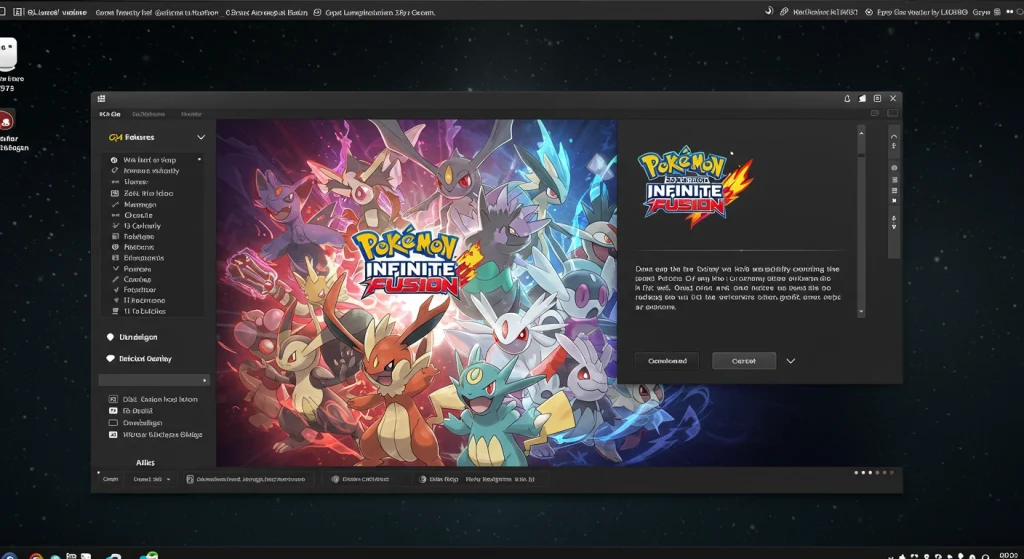
Pokémon Infinite Fusion is a fan-made PC game where you can fuse any two Pokémon into brand-new hybrids. The latest version 6.5.1 brings fully revamped character customization, updated sprites, better trainer appearance randomization, and more!
While it’s built for Windows, Linux users can still play it using tools like Wine or Whisky. Even Chromebooks that support Linux can run it. This guide walks you through how to install and play Pokémon Infinite Fusion on your Linux system. Safely download the game on your device without any risks with the working method.
Download Pokémon Infinite Fusion v6.5.1 (Meloetta Fusion, Custom Pokédex, & More!)
Pokémon Infinite Fusion wasn’t made for Linux, but you can play it. With tools like Wine or Whisky, Linux and Chromebook users can run Version 6.5 and enjoy thousands of custom Pokémon fusions. Here we will show you how to set it up easily and play with all the latest features. Play the latest version of Pokémon Infinite Fusion with Gen 5-style visuals.
Does Pokémon Infinite Fusion Run On Linux?
The best fan-made Pokémon game created by Schrroms is completely free and even available on Linux! Pokémon Infinite Fusion is inspired by the original Pokémon Fusion web tool. Unlike the simple web version, this full game includes story progression, character interaction, and classic region exploration. Its standout feature is the ability to fuse any two Pokémon into one.
Although it’s built for Windows PCs, Linux users can run it using Wine or Whisky, and it works well on Chromebooks with Linux support. With controller compatibility, it plays even without a keyboard. See the features to know why many Pokémon fans love it!

Top Features of Pokémon Infinite Fusion on Linux
Here are the updated features of Pokémon Infinite Fusion that you can enjoy on Linux without any lag or disturbance.
1. Fusion System With 250,000+ Combos
Use DNA Splicers to fuse any two Pokémon and build custom hybrids with original typing, abilities, sprites, and movesets. Version 6.5.1 supports over 251,000 fusion combinations and even plays fusion cries from both base Pokémon.


2. Expanded Pokédex With Multi-Gen Pokémon
Includes full Gen 1-2 rosters, plus 100+ selected Pokémon from later generations up to Gen 7. Mix classic and modern monsters for new strategies and unexpected fusion results. The updated version also adds more custom Pokédex entries.
3. Branching Regions and Storylines
Explore Kanto, a Johto prequel set three years before G/S (Gold/Silver), and the post-game Sevii Islands. Make choices and go through Multiple story routes, secret quests, and optional events. New events like the “Legendary Band” Meloetta fusion quest and SS. Anne’s restaurant dishes deepen world-building.
4. Retro Look With Modern Graphics
Built with Gen 5-style pixel art, the game has a nostalgic design with a clean UI. There are updated character and NPC sprites, a new loading screen, and improved NPC appearance generation. Hair now animates while moving as well!
5. Game Modes and Custom Difficulty
Choose your challenge using optional Randomizer Mode, Hardcore Nuzlocke, or balanced standard gameplay. Difficulty settings and fusion variety give full control over how intense or casual your run feels. Trade with other players anonymously using Wonder Trade, or shake up your adventure with the Randomizer Mode. Fusion-related bugs from Randomizer have been fixed as well.
6. 189,000+ Handcrafted Fusion Sprites
Enjoy a vast library of over 189,000+ custom-made fusion sprites. These are designed by the community, featuring creative details and animations that give every hybrid its personality. The game now prompts players to download new sprite packs, so you’re always up to date.
7. Modern Battle Engine & Meta
Battle using Fairy-types, Mega Evolutions, and the physical/special move split. Face 16 Gym Leaders, take on Battle Factory, and explore Triple Battle zones. The gameplay includes fixes to moves like Double Team, Sonic Boom, and Dragon Rage.
8. Rematchable Trainers With Upgraded AI
Rebattle Gym Leaders and major NPCs, now with smarter AI, level scaling, and new custom moves. Advanced strategies and fusion-specific abilities, along with Trainers like Brock, Misty, Lorelei, and Sabrina, update overworld and battle sprites in this version.
9. 100% Free-to-Play Experience
No ads or purchases! Pokémon Infinite Fusion is entirely free. Everything from team-building to Legendary hunts is unlocked through gameplay. Perfect for fans who value a grind-and-earn, classic-style Pokémon journey. Now handles save file backup errors more smoothly without crashes.
10. Custom Trainer Appearance Options
Style your character with 129 hats, 79 outfits, 66 hairstyles, and more. Edit your Trainer Card, add accessories. Dye clothes with the new Dye Kit system, set favourite outfits for quick changes, and try animated hairstyles at Saffron City’s boutique.
11. Constant Content Updates
Version 6.5.1 fixes over a dozen major bugs, adds 30 new Pokémon, 25 Legendaries, 40+ new sidequests, and expands quality-of-life features like F12 fix for Magic Boots, outfit tracking, and trainer color range. We bring frequent updates to keep the game stable.
How To Download Pokémon Infinite Fusion On Linux
Pokémon Infinite Fusion isn’t made for Linux, but you can still play it using Wine. This guide works best for Ubuntu or any other Debian-based system, but we’ll include quick notes for other distros too.
Step 1: Install Wine and Winetricks(This Runs the Game)
Open your terminal and install Wine using your system’s package manager.
Step 2: Download the Game
Now download the Pokémon Infinite Fusion game ZIP file. Choose a reliable source, either Direct Download or Mediafire, that we’ve provided. Once downloaded, move the file to your home folder for easier access.
Step 3: Extract the Game Files
Step 4: Set Up a Clean Wine Prefix
You’ll now create a fresh Wine environment just for this game. This helps avoid system conflicts.
When the Wine window opens, set the Windows version to Windows 7, then close it.
Step 5: Install Missing Libraries with Winetricks
Use this command for extra files like DirectX or Visual C++:
A menu will pop up. Choose the common options like:
Follow the prompts until done.
Step 6: Run Pokémon Infinite Fusion
Go to the game’s folder using your terminal. If the folder was nested, you’ll need to enter it twice, like:
Then, open the game by typing:
That’s it! The game should open. If you get any warnings, close them and continue.
Every time you want to play, open Terminal, just go into the game folder using cd, like cd ~/Downloads/InfiniteFusion/InfiniteFusion
And run the game using Wine by typing:
Troubleshoot Guide For Laggy Performance
If the game runs slowly or looks weird, run this again to adjust graphics or compatibility:
How to Update Pokémon Infinite Fusion on Linux
Linux doesn’t support the game’s auto-updater. So, if a new version comes out, just redownload the ZIP file. Unzip it. Run the new Game.exe using Wine (repeat steps 3 to 6)
How To Run Pokémon Infinite Fusion on Chromebook (Linux Mode)
Using a Chromebook with Linux enabled? Here’s what to do:
- Move the ZIP file to your Linux Files folder (use our download link).
- Open your Terminal and type:
- sudo dpkg –add-architecture i386
- sudo apt update
- sudo apt install wine winbind
- Optionally, run:
- winecfg
- Then unzip the game:
- unzip InfiniteFusion.zip
- cd InfiniteFusion
- cd InfiniteFusion # Yes, enter it twice
- That’s it, run the game by typing:
- wine Game.exe
Final Words
Pokémon Infinite Fusion on Linux gives you a fresh and exciting way to enjoy the Pokémon universe. If you haven’t played Pokémon Infinite Fusion in a while, version 6.5.1 brings some serious upgrades you’ll want to see. We’ve fixed long-standing bugs like F12 crash issues, Regi Puzzle clothing errors, and save file problems. So, you can download on any of your devices and play with ease!