
Pokémon Infinite Fusion Steam Deck(New Features, Game Fixes & Fusion Upgrades)

Pokémon Infinite Fusion
Version:
6.5.1
Size:
1.8 GB
Type:
Fan-made
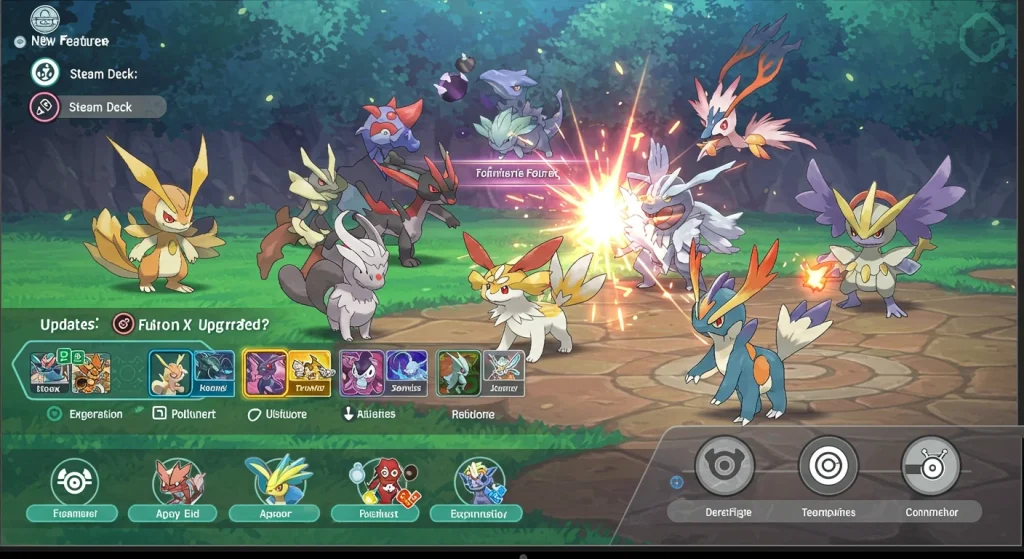
Pokémon Infinite Fusion is a game built for OG Pokémon fans and features brand-new gameplay. Version 6.5 brings new Pokémon, upgraded visuals, and more than 250,000 fusion combos. You’ll get hand-crafted sprites, Gen 5-style graphics, a full Pokédex, and addictive features like Randomizer Mode. It’s creative, nostalgic, and seriously replayable.
Wondering if it’s playable on Steam Deck? Yes, it is! Thanks to Proton-GE, a custom compatibility layer for SteamOS, this fan-made hit runs on Valve’s handheld. If you’re a Steam Deck user looking to download the ultimate fusion Pokémon game, here’s how to get it running without the usual PC setup.
Download Pokémon Infinite Fusion 6.5.1 On Steam Deck
Steam Deck players can now enjoy Pokémon Infinite Fusion Version 6.5 with full support via Proton-GE! Play with new Pokémon, updated fusion combos, custom sprites, and exciting modes. We’ll walk you through getting it installed and running! No Windows needed, just your Deck and a few setup steps.
Can I Play Pokémon Infinite Fusion on Steam Deck?
Pokémon Infinite Fusion is a fan-made Pokémon game created by Schrroms. Although it was originally designed for Windows PCs, it can run on Steam Deck, Mac, Android, and Linux with the right setup.
Inspired by the old Pokémon Fusion web app, it expands the idea into a full RPG with storylines, battles, and classic region exploration. The game’s core feature lets you fuse any two Pokémon to create unique hybrids, each with custom sprites, stats, and typing. Downloading this fun game on Steam Deck is easy, just use Proton-GE and tools like ProtonTricks. With Version 6.5 bringing new content and smoother performance, it’s now a top pick for Pokémon fans on handhelds.

Key Features of Pokémon Infinite Fusion on Steam Deck
Here’s what to expect from the Pokémon Infinite Fusion official game!
1. Unlimited Pokémon Fusion
Fuse any two Pokémon using DNA Splicers to create hybrids with unique typings, stats, and move sets. There are over 251,000 combinations that allow endless team strategies.


2. Expanded Pokédex With Multi-Gen Options
This version includes full rosters from Gen 1 and 2, plus 100+ Pokémon from later generations. Mix fan-favourites and underrated picks to create hybrids.
3. Story-Rich Regions and Questlines
Explore Kanto, Johto (as a prequel), and the post-game Sevii Islands. Multiple narratives, side quests, and branching choices deliver deeper immersion! Each replay will feel brand new.
4. Gen 5-Inspired Visuals with Modern Polish
Retro-style graphics styled after Pokémon Black and White, with cleaner animations and UI enhancements. Includes Fairy-types, Mega Evolutions, and key QoL upgrades like fast travel and bag expansion.
5. Custom Game Modes and Difficulty Levels
Tweak the experience to match your style. Choose between unpredictable fusion chaos or strategic hardcore runs. Great for newcomers and pros wanting different types of challenges.
6. Massive Library of Custom Sprites
Over 189,000 handcrafted sprites by fans means each fusion is original. These are animated, expressive, and visually balanced for both overworld and battle scenes.
7. Advanced Battle Mechanics
Battle 16 Gym Leaders, elite trainers, and explore zones like Battle Factory and Triple Battle Lounge. It also includes modern features like move-type splits, Mega Evolutions, and fusion-adapted abilities.
8. Smart Trainer Rematches
Challenge trainers again with new fused lineups, improved stats, and signature moves. Each rematch scales with progress and evolves your Pokémon team.
9. Entirely Free With No Paywalls
Pokémon Infinite Fusion is 100% free to play. No microtransactions, no ads. Every item, upgrade, and reward is earned through exploration, battles, and smart team-building, just like the classics.
10. Wonder Trade and Randomizer Modes
Use Wonder Trade to swap Pokémon worldwide or activate Randomizer Mode for unpredictable runs. With thousands of fusion sprites, every battle stays unpredictable for even professionals.
11. Player and Pokémon Customization
Choose from 129 hats, 79 outfits, 66 hairstyles, and more. Edit your Trainer Card, join Team Rocket, or even accessorize your Pokémon.
12. New Pokémon, Side Quests & Legendaries
Enjoy 40+ side quests, 25 legendaries, and 30 new Pokémon. Version 6.5 expands the total to 501 Pokémon, each available for fusion.
How To Download Pokémon Infinite Fusion On Steam Deck
Pokémon Infinite Fusion is not a Steam game, but it can run on Steam Deck if you follow these steps!
Step 1: Switch to Desktop Mode
Step 2: Set Up Proton-GE (To Run Windows Games)
In Desktop Mode, open the Discover app (your software store).
This lets your Steam Deck run Windows games that aren’t on Steam
Step 3: Download Pokémon Infinite Fusion For Steam Deck
Click the download link for Pokémon Infinite Fusion given on our site and download the full ZIP file.
Step 4: Extract the Game Files
Step 5: Launch the Game with Wine (Optional)
Step 6: Add the Game to Steam (for Proton)
Step 7: Switch Back to Gaming Mode
Optimizing Pokémon Infinite Fusion on Steam Deck
If it lags, right-click the game in Steam and tweak:
- Proton version
- Frame rate
- Resolution
If the controller is weird, adjust the layout:
- Go to the Properties, then Controller, and set custom mappings.
To see where your Pokémon Infinite Fusion save file is stored on your Steam Deck, follow these steps:
- Switch to Desktop Mode on your Steam Deck.
- Open the Dolphin file manager.
- Click “Home” then “deck”.
- Enable “Show Hidden Files” by clicking the three-dot menu (☰) in the top-right and checking the option.
- Go to this path: /home/deck/.local/share/Steam/steamapps/compatdata/
- Inside compatdata, you’ll see many numbered folders. To find your save:
- Use the search bar and type: File H.rxdata (or whatever save slot you used).
- Once found, right-click and Open Path in New Window to go directly to the save file location.
- Drag the final “Infinite Fusion folder” to the left sidebar in Dolphin for quick access in the future.
How to Update Pokémon Infinite Fusion on Steam Deck
You need to manually update Pokémon Infinite Fusion on your Steam Deck. The process is simple if you follow the steps below in order.
- Press the Steam button. Go to Power, then choose Switch to Desktop.
- Open your file manager (Dolphin).
- Go to the folder where you installed Pokémon Infinite Fusion. Look for a file named INSTALL_OR_UPDATE.bat. (This is the script that runs the updater.)
- Right-click on the .bat file.
- Select Open With and choose a tool like qt4wine (or Wine, if qt4wine isn’t available).
- The batch file will now run and check for updates.
- If it needs extra components (like .NET Framework), the update might not complete right away. In that case, open Winetricks and install the missing libraries. Most update issues are fixed by installing .NET through Winetricks.
- Once the update finishes, launch the game. Make sure it’s running the latest version by checking the version info (usually visible on the game’s main screen). That’s it!
Final Words
In conclusion, playing Pokémon Infinite Fusion on your Steam Deck is doable with the right setup. Thanks to Proton-GE, you can enjoy all the amazing features of this fan-made game, including fusion combos, new Pokémon, and custom difficulty. With tons of content to explore, it’s a fun way to mix up your Pokémon experience. Follow our guide, and you’ll be fusing, battling, and exploring in no time.